6.15 数据安全刷题笔记
流量分析
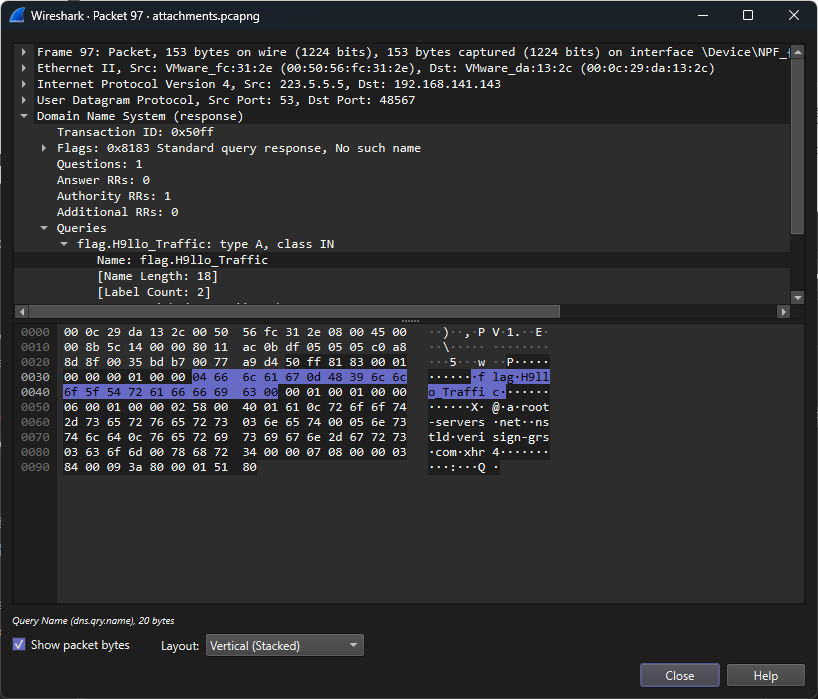
数据包中包含明文 flag 直接拿取即可
流量分析2
题目
text
小明通过webshell获取网站的流量,你能帮他分析分析吗?按照第一个题目中的方法去尝试检索 flag
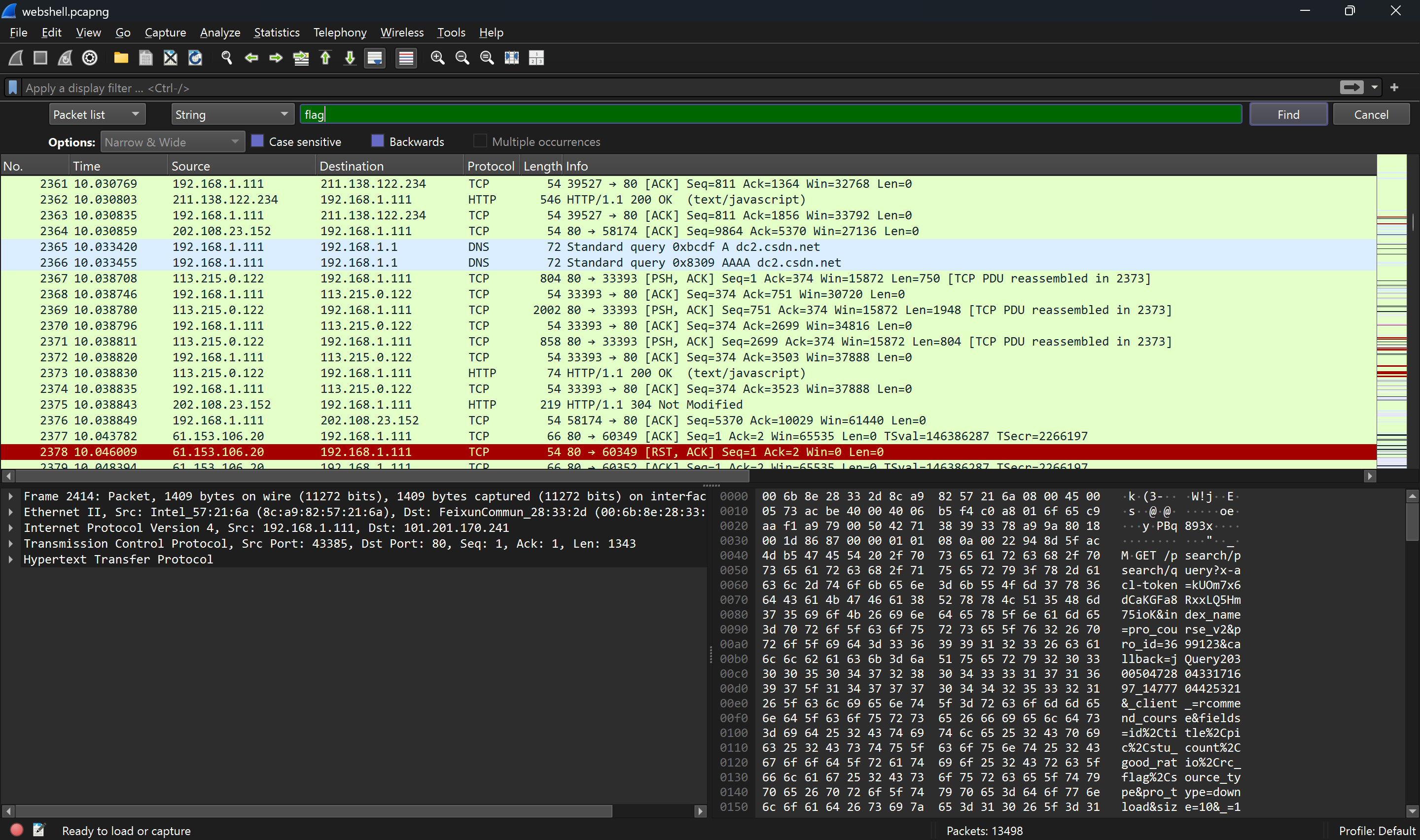
并未发现任何明文 flag 文字出现
简单浏览基本上都是简单的 GET 请求,但是其中包含一些文件上传的 HTTP 请求,那就将这些 HTTP 请求全部过滤出来
text
http.request其中包含 GET 请求,而 GET 请求用于文件的获取更多,所以将 POST 请求过滤出来
text
http.request.method == "POST"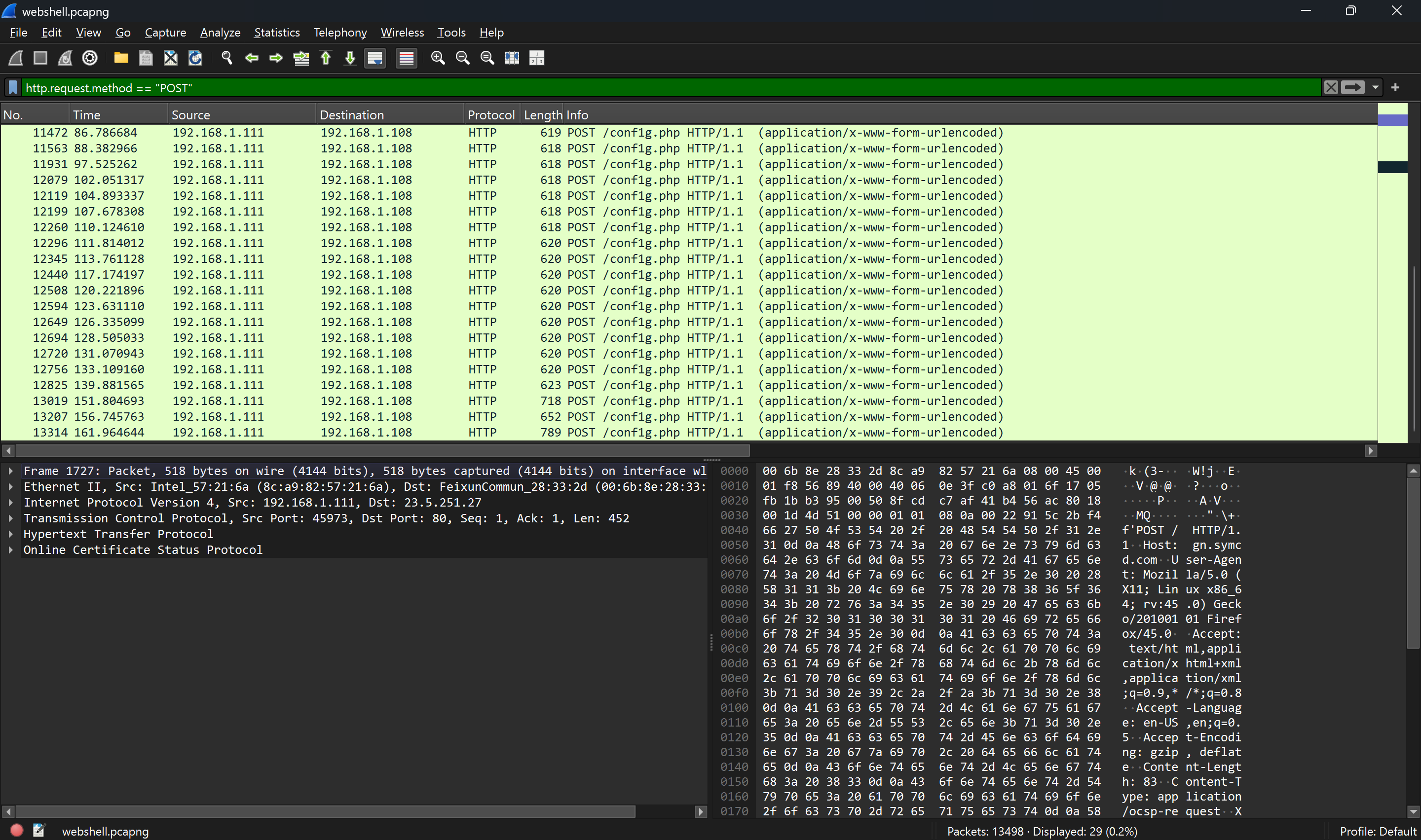
其中发现有获取 config.php 的异常请求,于是对其中进行的分析
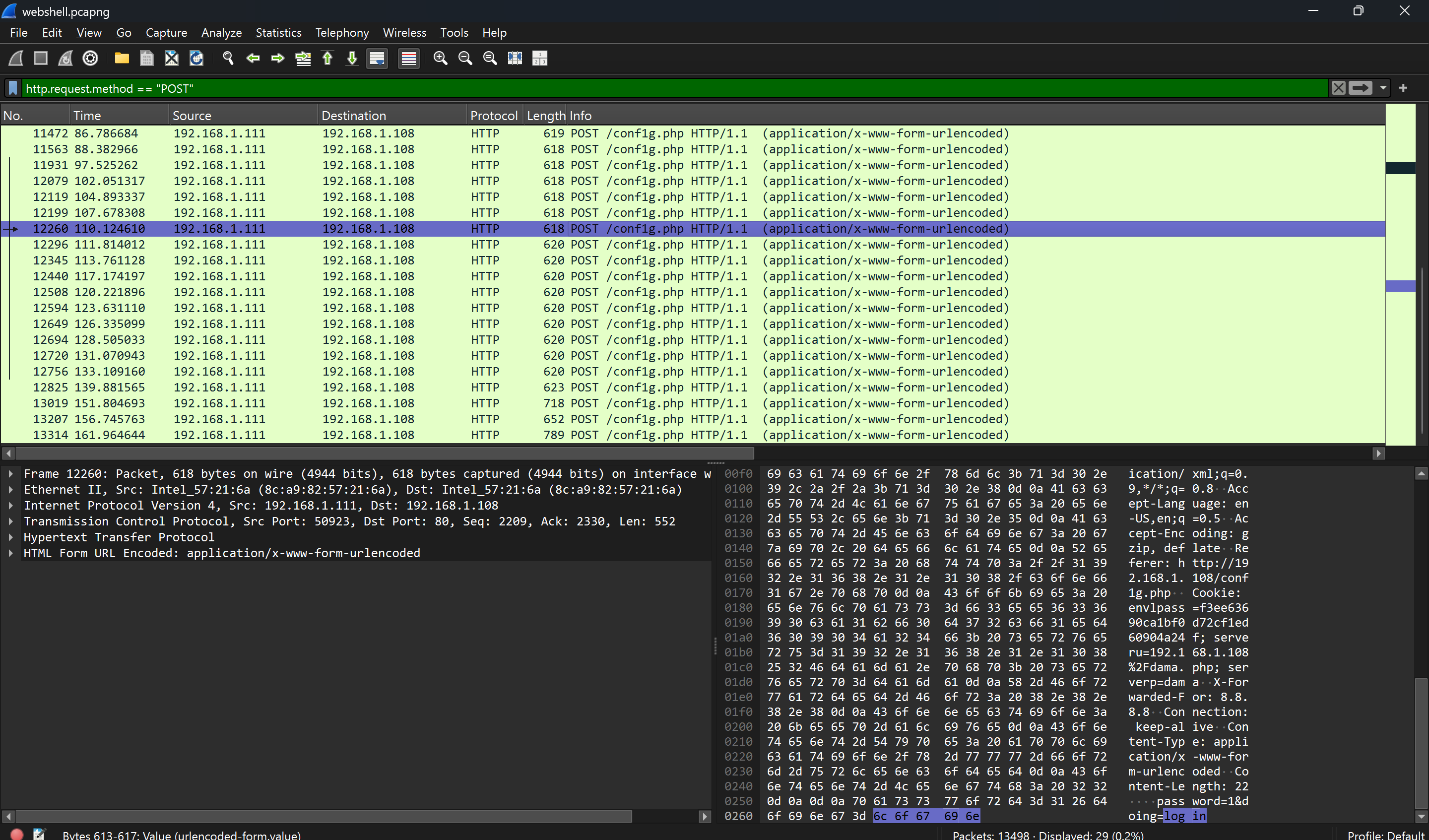
这样类似的请求一般是用于登录,其中不会包含 flag
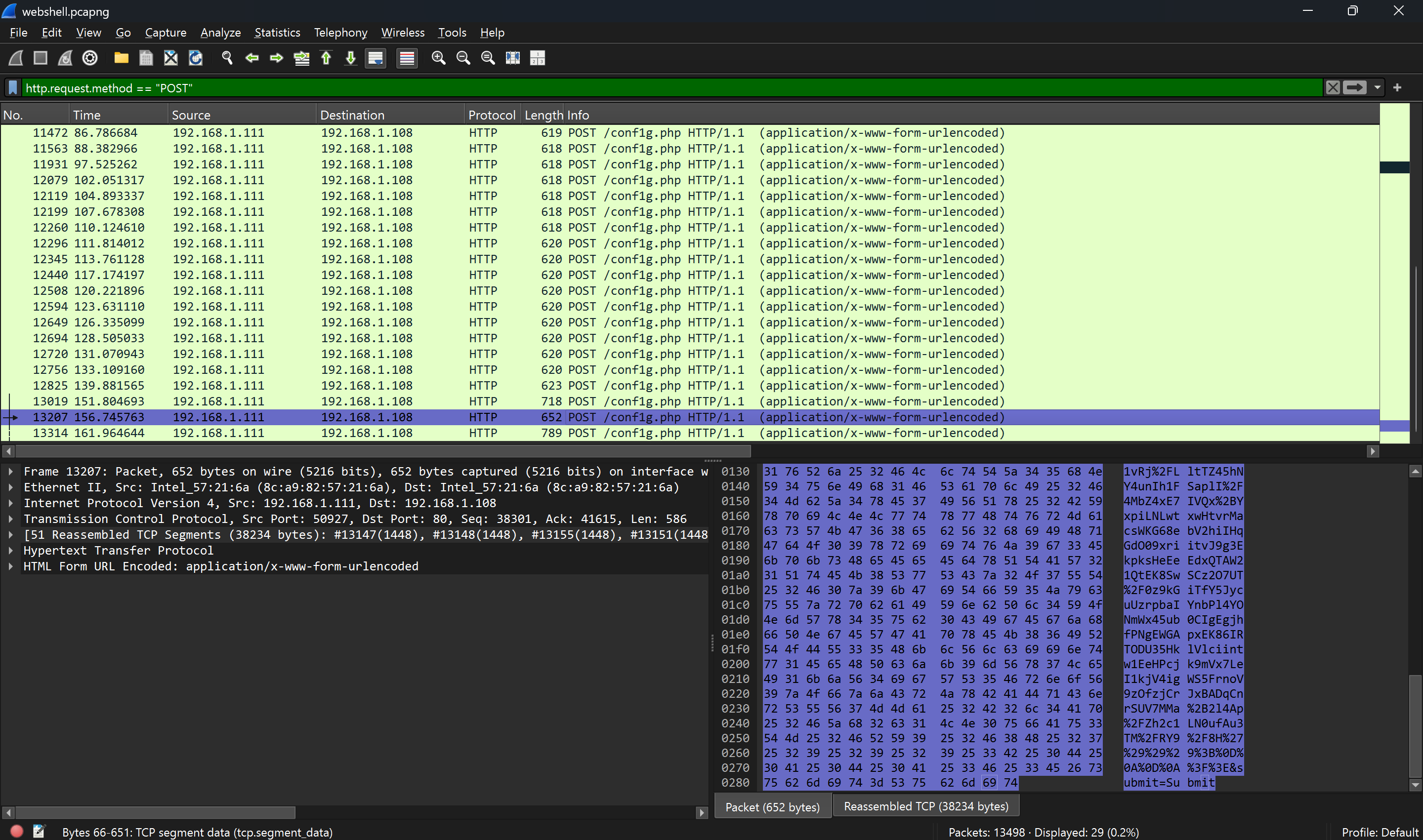
出现文件痕迹,进行追踪流
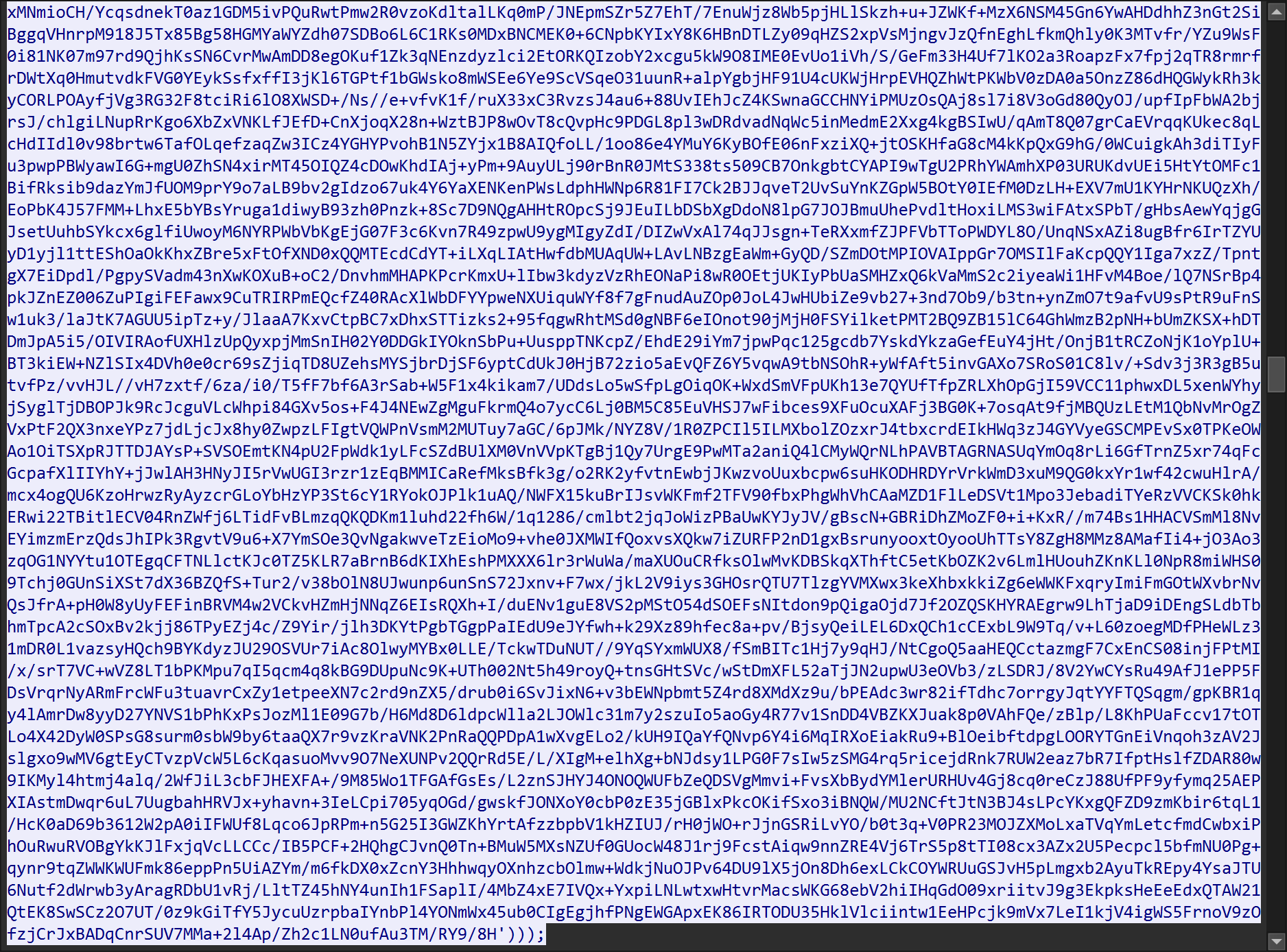
并未出现 flag 痕迹,继续查看
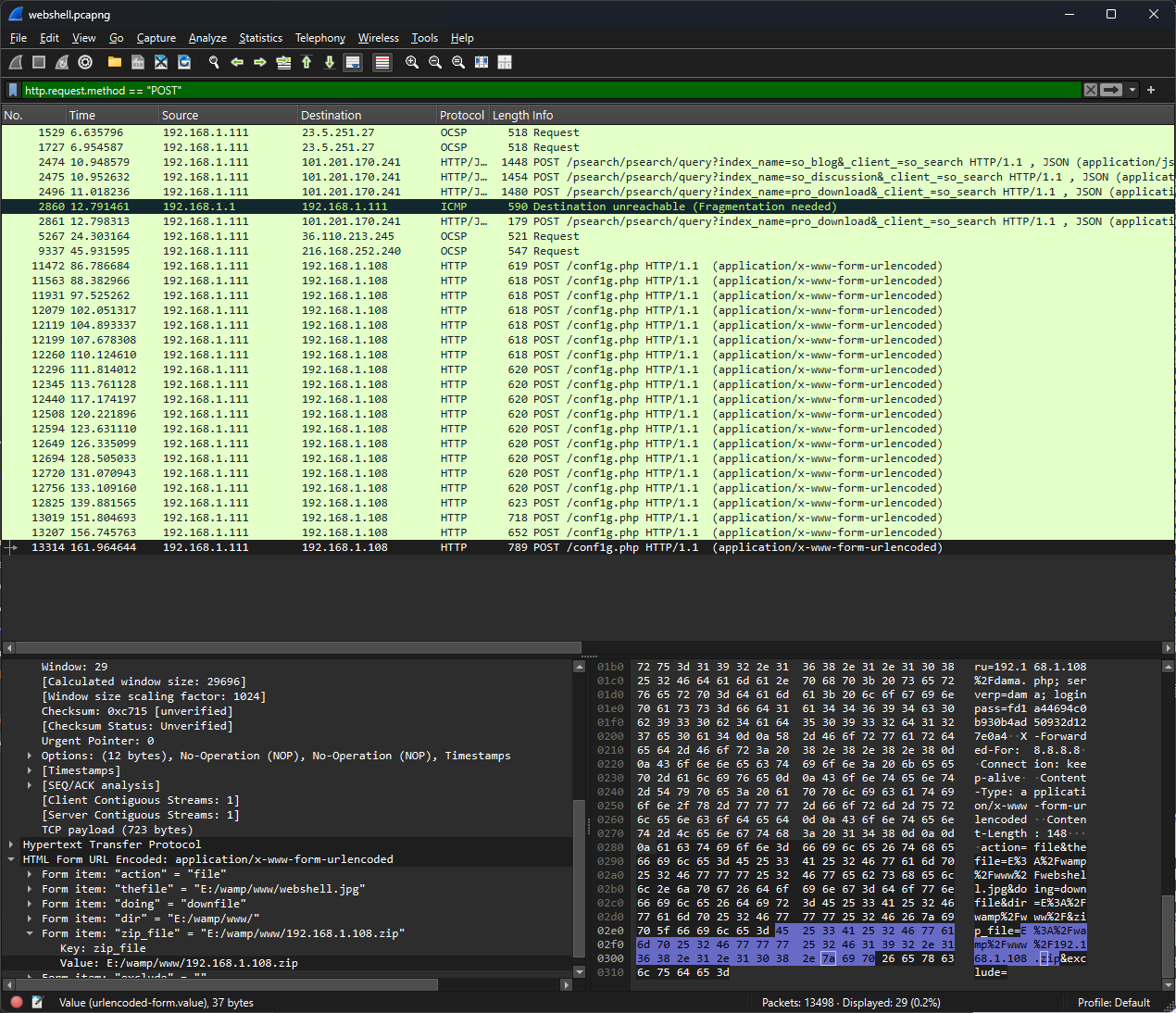
再次出现文件痕迹
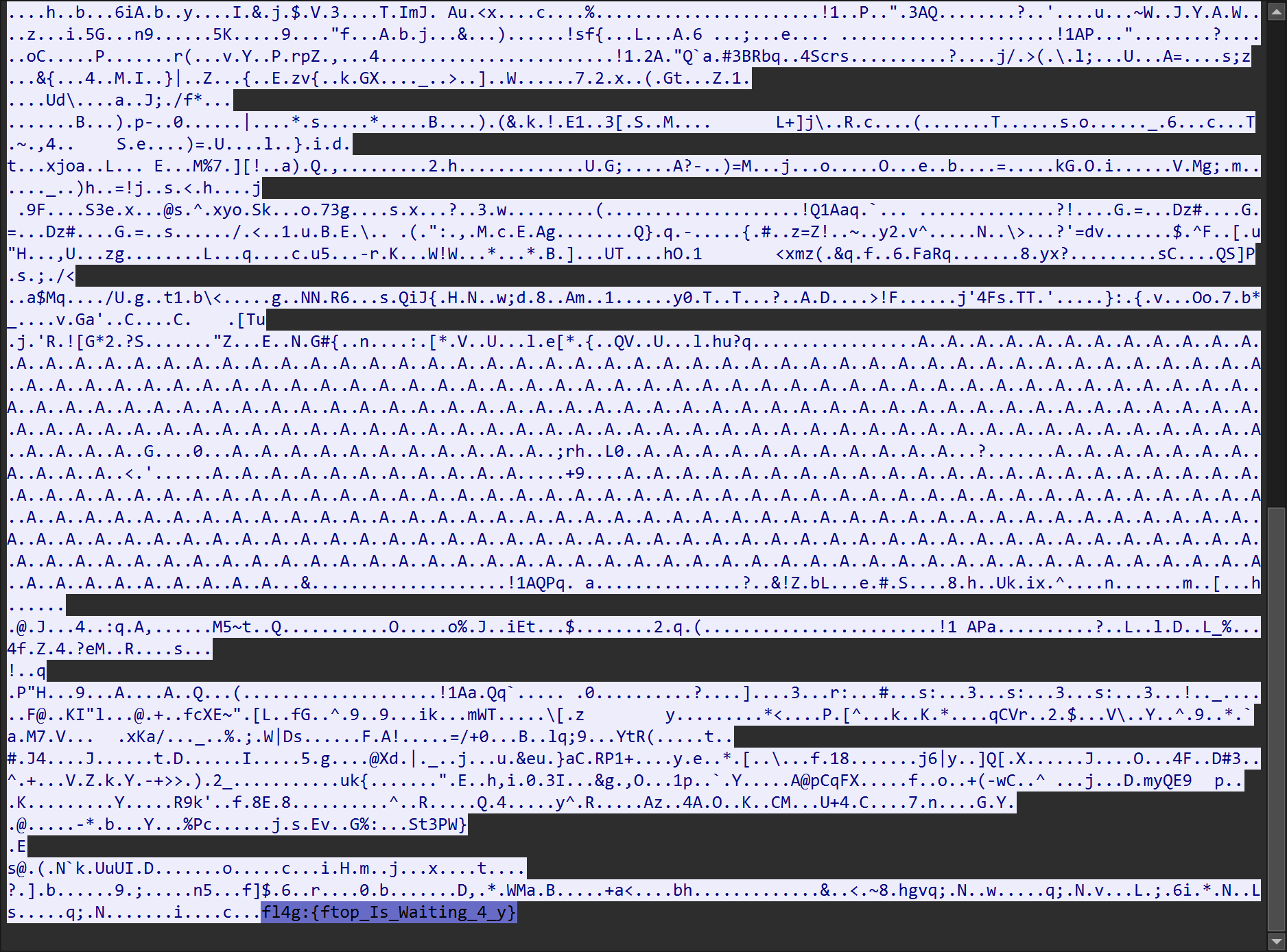
追踪流后发现 flag 痕迹
text
fl4g{ftop_Is_Waiting_4_y}流量分析3
题目
text
某集团服务器遭受了大量的恶意攻击,你作为一名安全工程师,请你分析出攻击者的IP。提交格式:flag{127.0.0.1}随便找一个流进行追踪,发现乱码
text
eyJtc2ciOiJOVEV1TVRrNExqRTNOUzR6TFNBdElGc3dPQzlLWVc0dk1qQXlOVG94T0RveE16b3hNQ0FyTURBd01GMGdJa2RGVkNBdmMyVmhjbU5vTDNObFlYSmphQzV3YUhBZ1NGUlVVQzh4TGpFaUlESXdNQ0EwT1RJd0lDSXRJaUFpVFc5NmFXeHNZUzgxTGpBZ0tHbFFhRzl1WlRzZ1ExQlZJR2xRYUc5dVpTQlBVeUF4TjE4eFh6RWdiR2xyWlNCTllXTWdUMU1nV0NrZ1FYQndiR1ZYWldKTGFYUXZOVE0wTGpFZ0tFdElWRTFNTENCc2FXdGxJRWRsWTJ0dktTQkdlR2xQVXk4eE5pNDNiRFU1TURZdU1DQk5iMkpwYkdVdk5qRk5PVEV3SUZOaFptRnlhUzgxTXpRdU1TSUsiLCJ0eXBlIjoiTG9nLURhdGEifQ==其中包含 A–Z a–z 0–9 + / 以及末尾是 == ,所以可以判断是 base64 编码格式
解码查看内容
text
{
  "msg": "NTEuMTk4LzQzMS40MzEuMjQxLjEuMQ==",
  "type": "Log-Data"
}
发现 msg 还是 base64 加密编码,解密查看
text
51.198/431.431.241.1.1原文则是
text
{
  "msg": "51.198/431.431.241.1.1",
  "type": "Log-Data"
}
让 AI 写一个脚本进行解密
python
#!/usr/bin/env python3
"""
批量从 pcap 文件中提取 hex 数据 → 深度解码 base64。
数据格式: hex → bytes → base64 JSON(含msg字段) → base64 msg → 文本
用法:
    python batch_base64_decode.py <pcap_file> [output_dir]
"""

import base64
import binascii
import json
import os
import re
import subprocess
import sys
from collections import Counter
from pathlib import Path

TSHARK = r"C:\Program Files\Wireshark\tshark.exe"


def decode_b64_safe(s: str) -> bytes | None:
    """安全的 base64 解码"""
    missing = len(s) % 4
    if missing:
        s += "=" * (4 - missing)
    try:
        return base64.b64decode(s, validate=True)
    except Exception:
        return None


def hex_to_json(hex_str: str) -> dict | None:
    """hex → bytes → base64 → JSON"""
    try:
        raw = bytes.fromhex(hex_str)
    except ValueError:
        return None

    try:
        b64_str = raw.decode("ascii")
    except UnicodeDecodeError:
        return None

    decoded = decode_b64_safe(b64_str)
    if decoded is None:
        return None

    try:
        return json.loads(decoded)
    except (json.JSONDecodeError, UnicodeDecodeError):
        return None


def main():
    if len(sys.argv) < 2:
        print(__doc__)
        sys.exit(1)

    pcap_path = Path(sys.argv[1]).resolve()
    output_dir = Path(sys.argv[2]) if len(sys.argv) > 2 else Path("./decoded_output")
    output_dir = output_dir.resolve()
    output_dir.mkdir(parents=True, exist_ok=True)

    print(f"[*] 源文件: {pcap_path}")
    print(f"[*] 输出目录: {output_dir}")

    # Step 1: tshark 提取 hex
    print("[*] 正在用 tshark 提取数据...")
    result = subprocess.run(
        [TSHARK, "-r", str(pcap_path), "-Y", "data", "-T", "fields", "-e", "data"],
        capture_output=True,
        text=True,
        timeout=120,
    )

    lines = [l.strip() for l in result.stdout.strip().split("\n") if l.strip()]
    print(f"[*] 提取到 {len(lines)} 行 hex 数据")

    # 去重(保持顺序)
    unique = list(dict.fromkeys(lines))
    print(f"[*] 唯一 hex 值: {len(unique)}")

    # Step 2: 第一层解码 hex → JSON
    print("[*] 第一层解码: hex → JSON ...")
    json_objects = []
    json_counter = Counter()
    decode_failures = 0

    for hex_str in unique:
        obj = hex_to_json(hex_str)
        if obj:
            json_objects.append((hex_str, obj))
            json_counter["total"] += 1
            json_counter[obj.get("type", "unknown")] += 1
        else:
            decode_failures += 1

    print(f"[*] JSON 解码成功: {len(json_objects)}, 失败: {decode_failures}")
    print(f"[*] 类型分布: {dict(json_counter)}")

    # Step 3: 第二层解码 msg 字段
    print("[*] 第二层解码: msg (base64) → 明文 ...")
    decoded_msgs = []
    suspicious = []

    for hex_str, obj in json_objects:
        msg_b64 = obj.get("msg", "")
        if not msg_b64:
            continue

        decoded_bytes = decode_b64_safe(msg_b64)
        if decoded_bytes is None:
            continue

        try:
            msg_text = decoded_bytes.decode("utf-8")
        except UnicodeDecodeError:
            msg_text = repr(decoded_bytes)

        decoded_msgs.append((hex_str, obj, msg_text))

        # 检测异常:不是标准日志格式的
        if not re.match(r"^\d+\.\d+\.\d+\.\d+-", msg_text):
            suspicious.append((hex_str, obj, msg_text))
        # 检测可能包含 flag 的
        if re.search(r"flag|ctf\{|CTF\{|FLAG\{", msg_text, re.IGNORECASE):
            suspicious.append((hex_str, obj, msg_text))

    print(f"[*] msg 解码成功: {len(decoded_msgs)}")
    print(f"[*] 可疑/异常条目: {len(suspicious)}")

    # Step 4: 输出报告
    report_path = output_dir / "decoded_report.txt"
    with open(report_path, "w", encoding="utf-8") as f:
        f.write("=" * 70 + "\n")
        f.write(" Base64 深度解码报告\n")
        f.write(f" 源文件: {pcap_path}\n")
        f.write(f" 提取行数: {len(lines)}\n")
        f.write(f" 唯一 hex: {len(unique)}\n")
        f.write(f" JSON 解码: {len(json_objects)}\n")
        f.write(f" msg 解码: {len(decoded_msgs)}\n")
        f.write(f" 类型分布: {dict(json_counter)}\n")
        f.write("=" * 70 + "\n\n")

        # 先列出所有可疑条目
        if suspicious:
            f.write("=" * 70 + "\n")
            f.write(f" 🚨 可疑/异常条目 ({len(suspicious)} 条)\n")
            f.write("=" * 70 + "\n\n")
            for hex_str, obj, msg in suspicious:
                f.write(f"  msg: {msg}\n")
                f.write(f"  原始 JSON: {json.dumps(obj, ensure_ascii=False)}\n")
                f.write("-" * 70 + "\n")
        else:
            f.write("(未发现明显异常条目)\n\n")

        # 全部解码后的日志
        f.write("\n" + "=" * 70 + "\n")
        f.write(" 全部已解码 msg 字段\n")
        f.write("=" * 70 + "\n\n")

        # 按日志时间排序(如果能解析)
        for idx, (hex_str, obj, msg) in enumerate(decoded_msgs, 1):
            f.write(f"[#{idx:06d}] {msg}\n")

    print(f"[*] 报告已保存: {report_path}")

    # 纯文本日志输出
    log_path = output_dir / "access_log.txt"
    with open(log_path, "w", encoding="utf-8") as f:
        for hex_str, obj, msg in decoded_msgs:
            f.write(msg + "\n")

    print(f"[*] 纯文本日志: {log_path}")

    # 只输出可疑条目
    if suspicious:
        susp_path = output_dir / "suspicious.txt"
        with open(susp_path, "w", encoding="utf-8") as f:
            for hex_str, obj, msg in suspicious:
                f.write(msg + "\n")
                f.write(f"  JSON: {json.dumps(obj, ensure_ascii=False)}\n")
                f.write("-" * 70 + "\n")
        print(f"[*] 可疑条目: {susp_path}")

    # 控制台摘要
    print(f"\n[*] === 解码摘要 ===")
    print(f"    总 hex 行: {len(lines)}")
    print(f"    唯一 hex: {len(unique)}")
    print(f"    JSON 成功: {len(json_objects)}")
    print(f"    msg 成功: {len(decoded_msgs)}")
    print(f"    可疑/异常: {len(suspicious)}")

    if suspicious:
        print(f"\n[!] 🚨 发现可疑条目:")
        for hex_str, obj, msg in suspicious[:10]:
            print(f"    {msg[:200]}")


if __name__ == "__main__":
    main()
在 output 目录中找到 suspicious.txt 文件,将文件第一行进行提交即可
text
flag{35.127.46.111}HTTP 数据分析
题目
text
请你根据附件中的流量数据进行统计汇总,提取出现攻击次数最多的useragent。在提取出useragent后,使用MD5算法对其进行加密,并将加密后的32位十六进制字符串作为flag进行提交。 【提交格式】 例如,如果得出的useragent为: Mozilla/5.0 (Macintosh; Intel Mac OS X 10_14_6) AppleWebKit/605.1.15 (KHTML, like Gecko) Version/13.1.1 Safari/605.1.15 则需要将其进行MD5加密,然后按照以下格式提交:flag{md5(useragent)},其中md5(useragent)代表加密后的32位MD5字符串。 示例:假设MD5加密后的字符串为 e1f1c2b0f33a4c2b0ff7c7c5a46a7e5e,则提交的格式应为:flag{e1f1c2b0f33a4c2b0ff7c7c5a46a7e5e}。 【评测标准】本题按结果给分。根据题目中要求,我们需要将所有 user agent 进行清洗,将清洗后的 user agent 进行排名,取第一名的进行 MD5 加密,最后拼接 flag 字符串输出
写出以下 Python 脚本
python
import hashlib
import re
from collections import Counter

log_file = r"C:\Users\Ivo\Documents\Code\ctf\Http数据分析\http.log.txt"

with open(log_file, "r", encoding="utf-8") as f:
    content = f.read()

# 每条请求和响应之间用 ==== 分隔,每个块内可能包含 User-Agent
blocks = content.split("======================================================")

ua_counter = Counter()

for block in blocks:
    # 提取 User-Agent 行
    ua_match = re.search(r"User-Agent:\s*(.+)", block)
    if ua_match:
        ua = ua_match.group(1).strip()
        ua_counter[ua] += 1

most_common_ua = ua_counter.most_common(1)[0][0]
count = ua_counter.most_common(1)[0][1]

print(f"共有 {sum(ua_counter.values())} 条 User-Agent,{len(ua_counter)} 种")
print(f"\n出现次数最多的 User-Agent (出现 {count} 次):")
print(most_common_ua)

md5_hex = hashlib.md5(most_common_ua.encode()).hexdigest()
print(f"\nMD5: {md5_hex}")
print(f"flag{{{md5_hex}}}")
输出最终结果
text
flag{488f54ddd342ab5253e726d9d61aa250}